
Press
HandyPaste press kit
Facts, descriptions, screenshots and the icon, for writing about HandyPaste for Mac. Everything here may be used in coverage of the app.
About HandyPaste
In one line
HandyPaste is a text snippet manager for Mac: press ⌥⌘V in any app to paste saved replies, addresses and prompts.
In a paragraph
HandyPaste keeps the text you type again and again (replies, addresses, sign-offs, code, AI prompts) and pastes it into any app on your Mac. Press ⌥⌘V, type a few letters and press Return: the snippet lands where you were typing. Placeholders fill in dates, the clipboard and answers to questions as it pastes, and Pro fills in whole forms. HandyPaste has no account, no server and no analytics, and it never watches what you type. It's free on the Mac App Store, with HandyPaste Pro as a one-time in-app purchase.
What it does
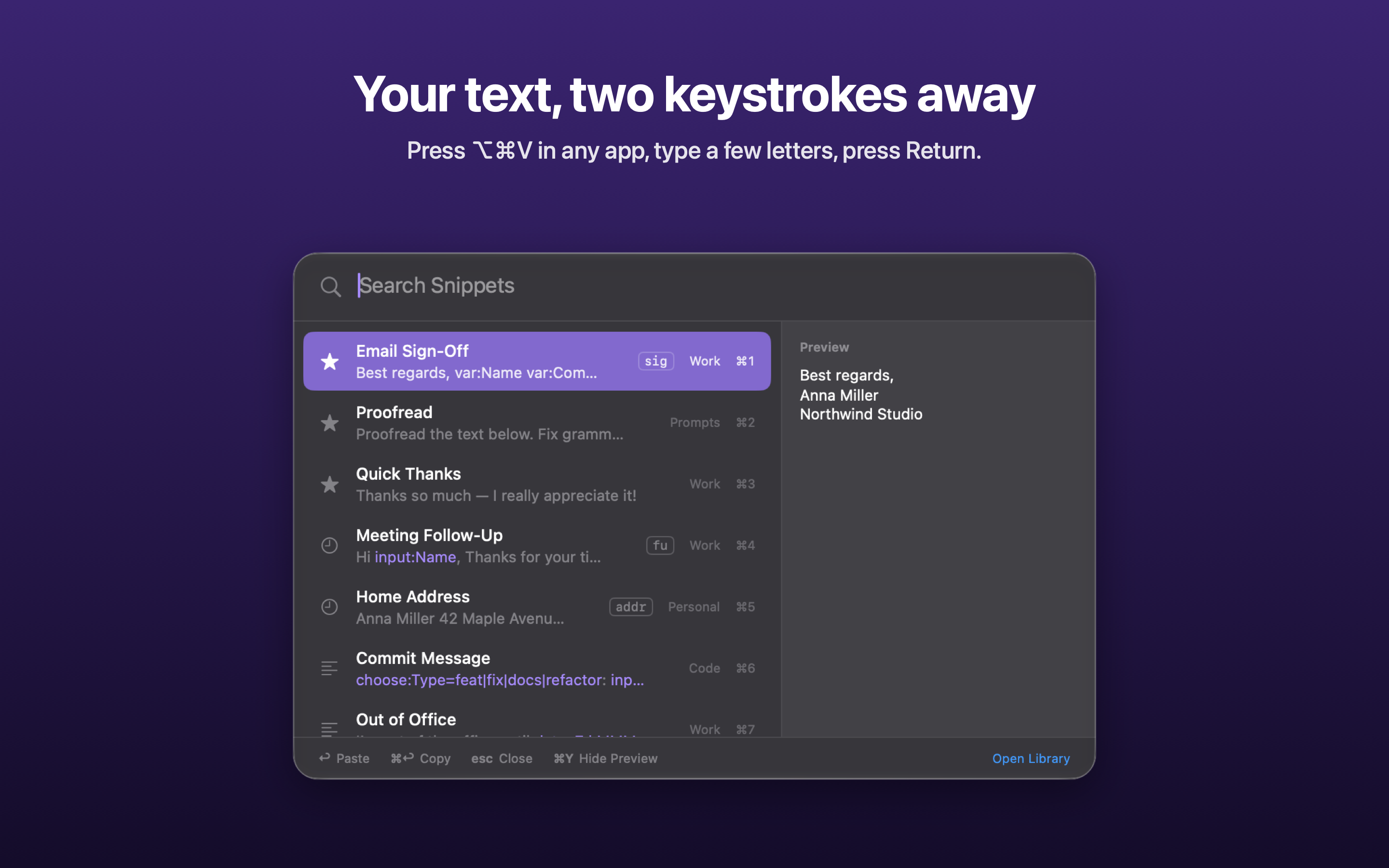
- ⌥⌘V in any app opens a Spotlight-style picker. Type a few letters, press Return, and the snippet is pasted where you were typing.
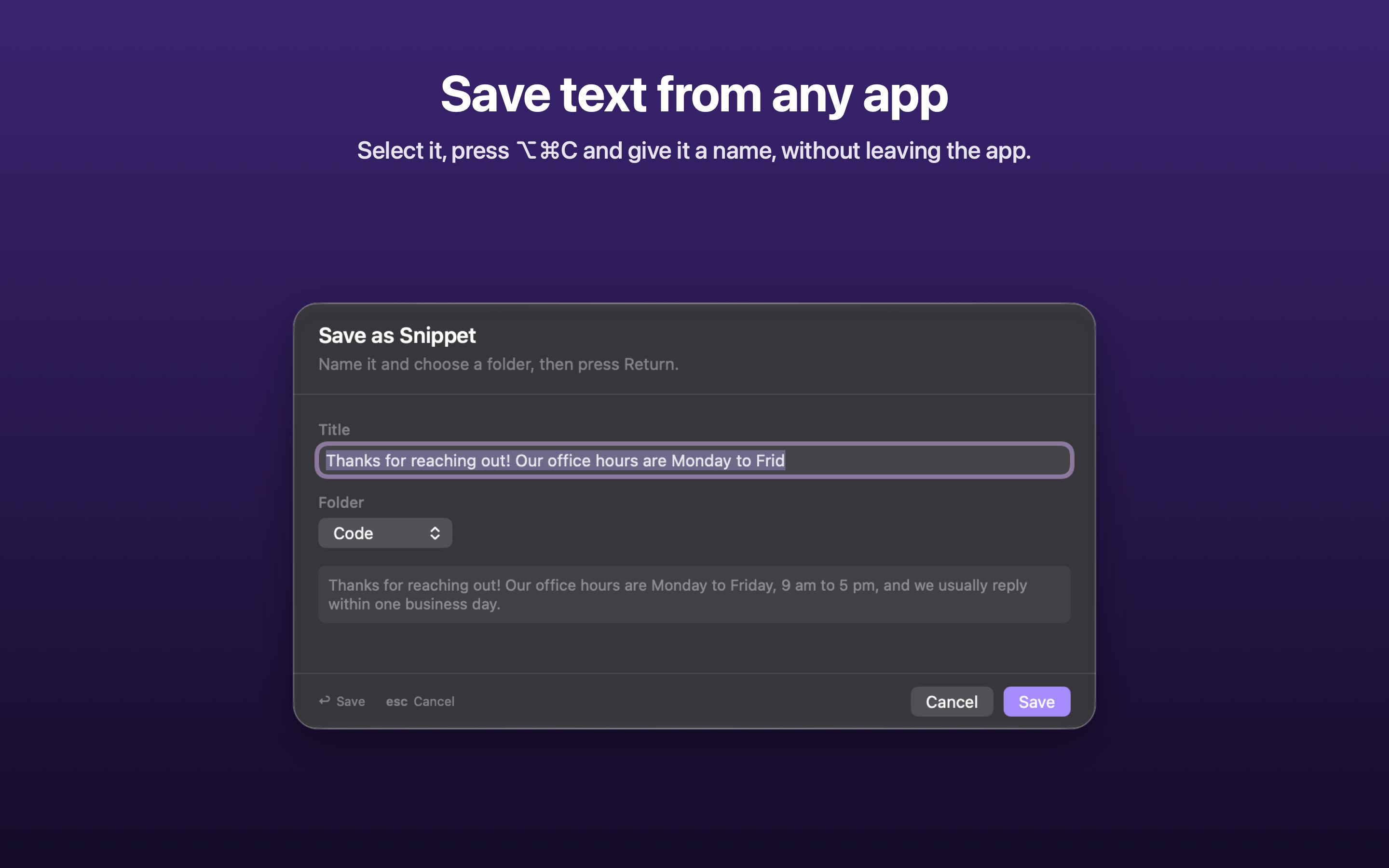
- ⌥⌘C saves the selected text in any app as a snippet, without leaving that app.
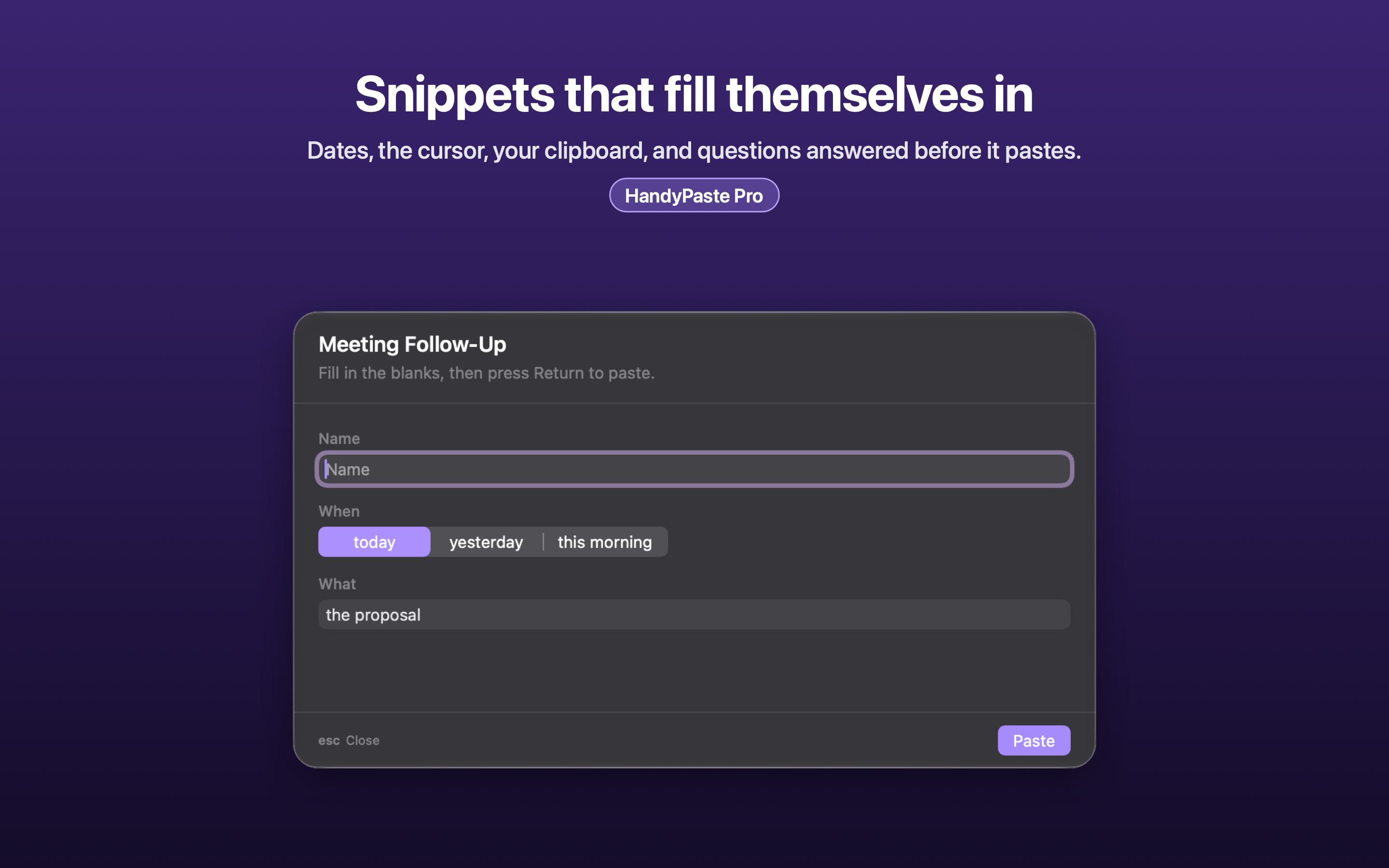
- Placeholders fill in dates, the clipboard and the caret position, and ask questions before pasting. With Pro,
{{tab}}and{{enter}}fill in whole forms. - Works with Claude and other AI apps over MCP (Pro): they can search, fill in and save snippets.
- Private by design: no account, no server, no analytics. It never watches what you type; it acts only when you press the shortcut.
- Native SwiftUI and AppKit, iCloud sync, ten languages, and import from the free HandyPaste Chrome extension.
Screenshots
2880 × 1800 PNG, the ones on the Mac App Store. Click one for the full size.
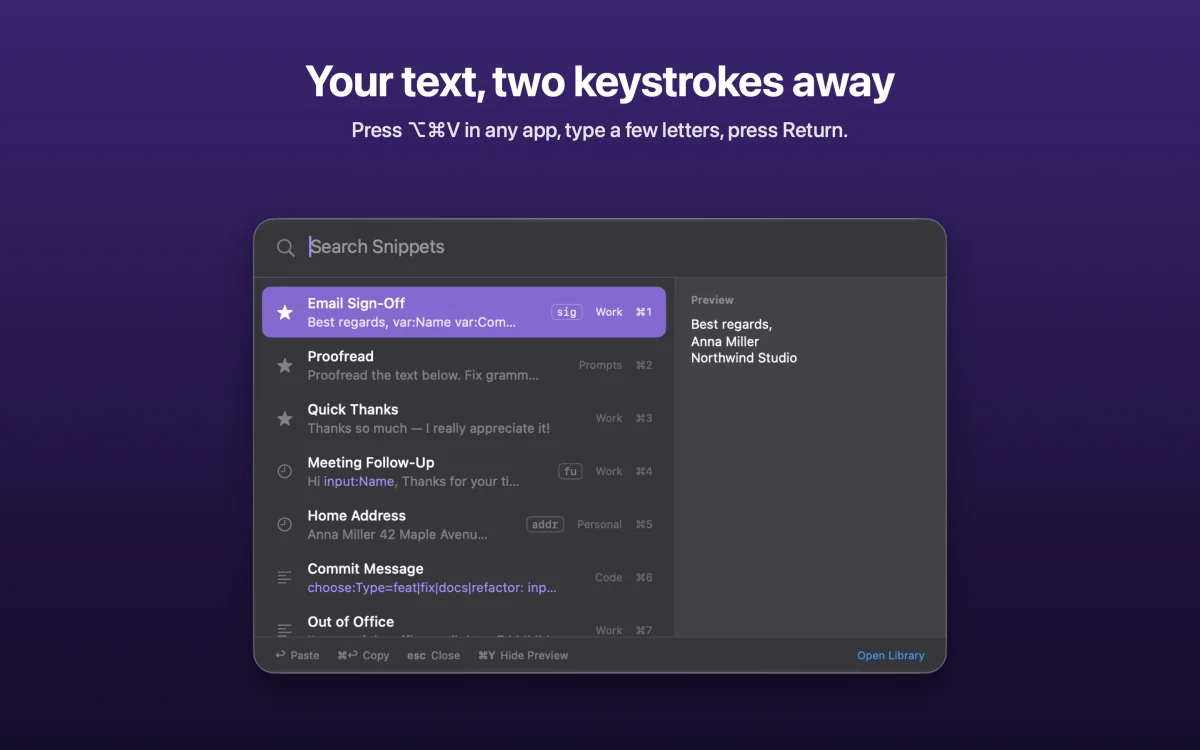
Your text, two keystrokes away Press ⌥⌘V in any app, type a few letters, press Return.
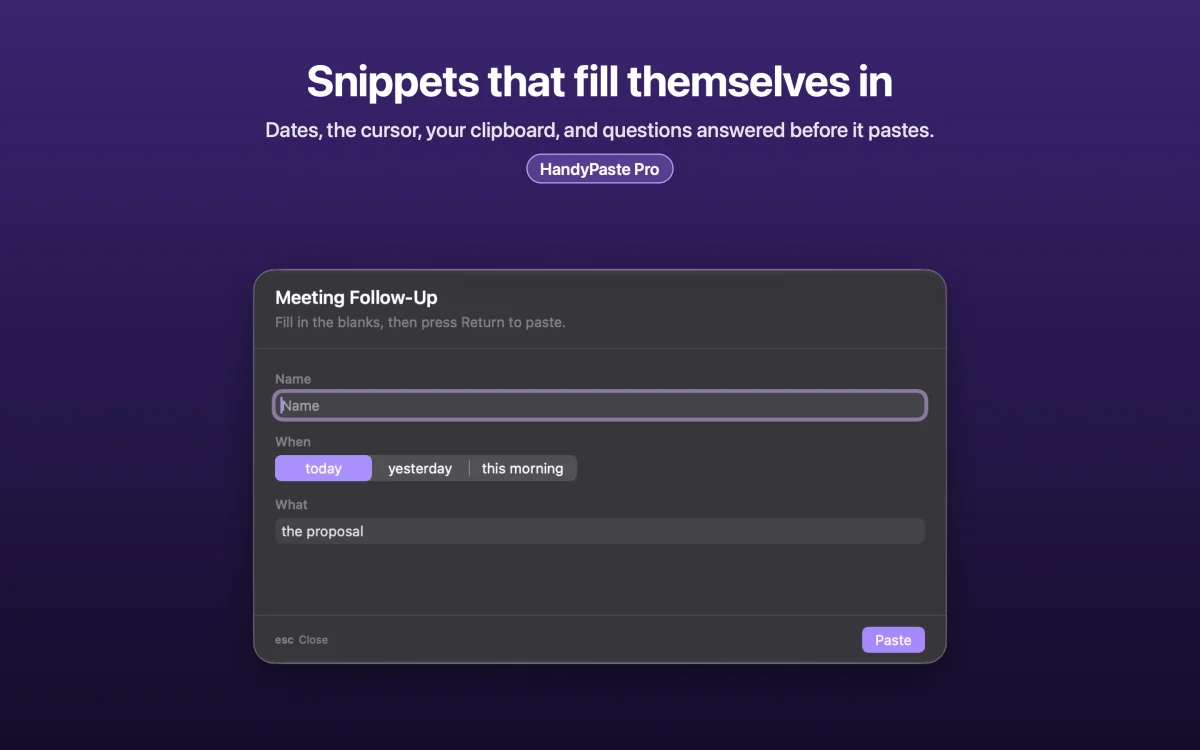
Snippets that fill themselves in Dates, the cursor, your clipboard, and questions answered before it pastes.
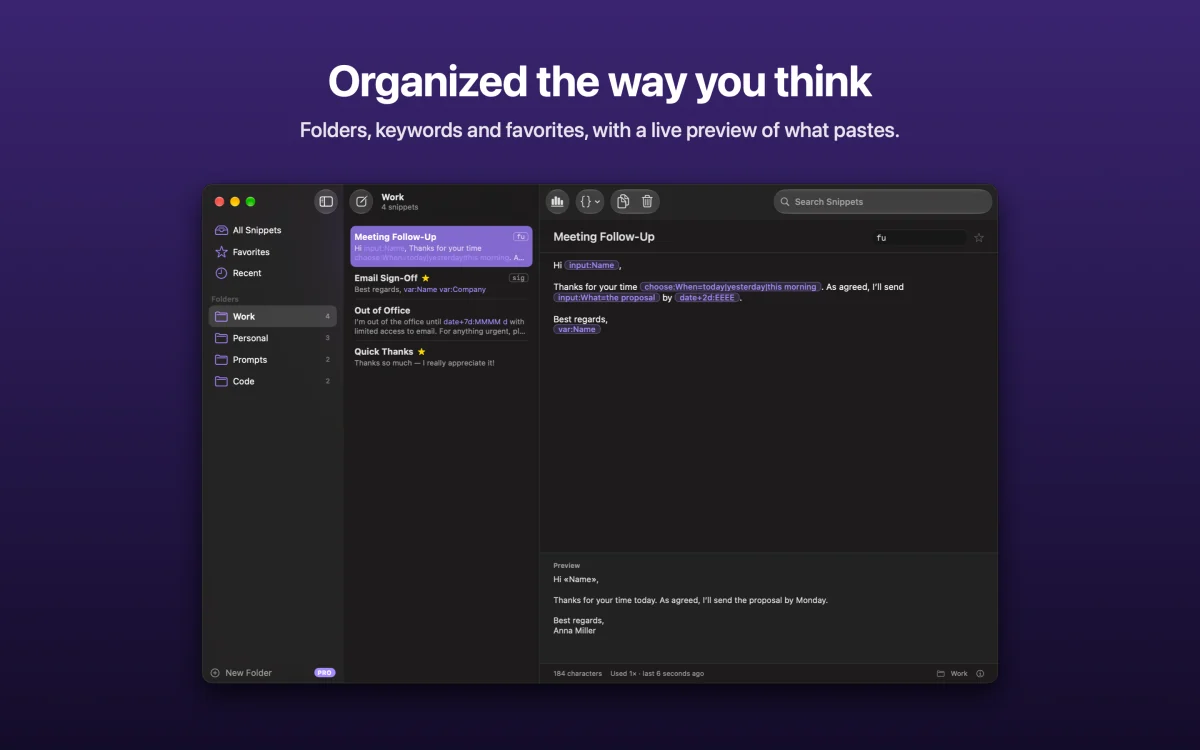
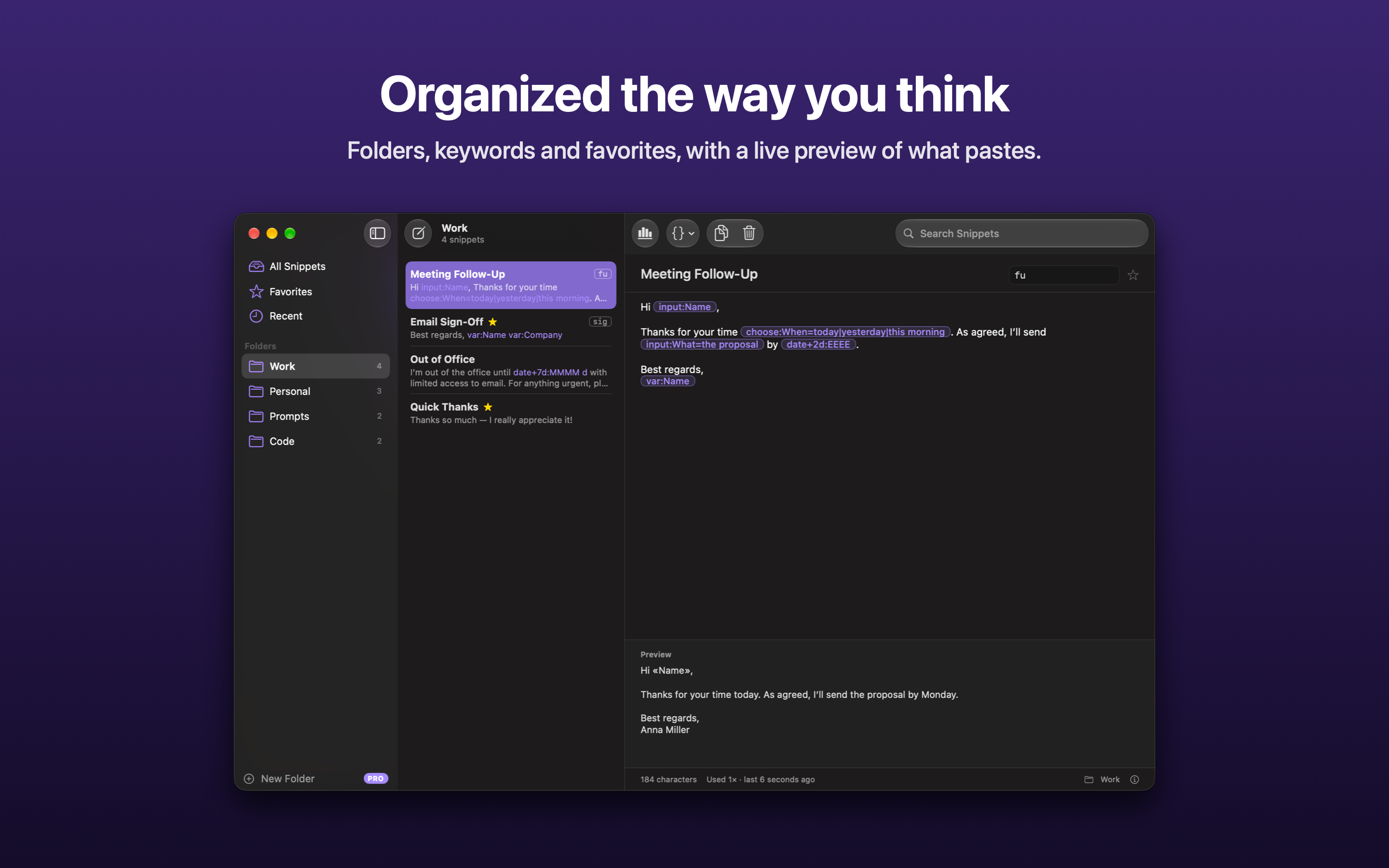
Organized the way you think Folders, keywords and favorites, with a live preview of what pastes.
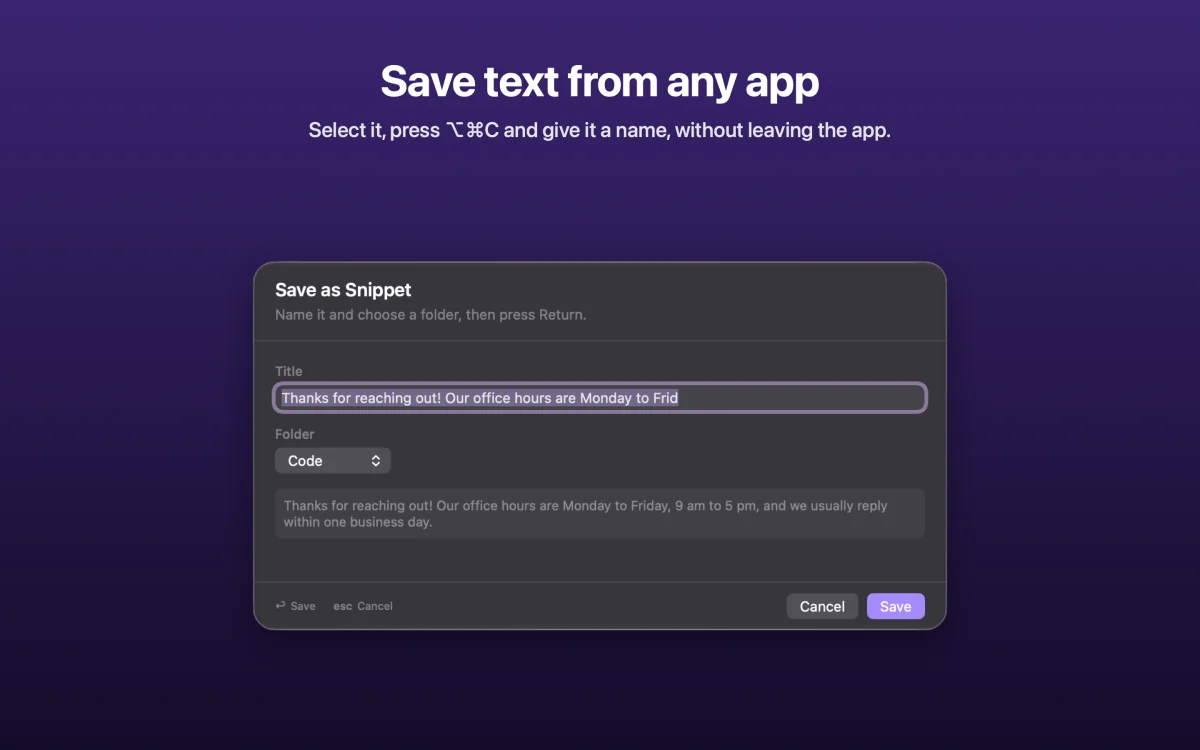
Save text from any app Select it, press ⌥⌘C and give it a name, without leaving the app.
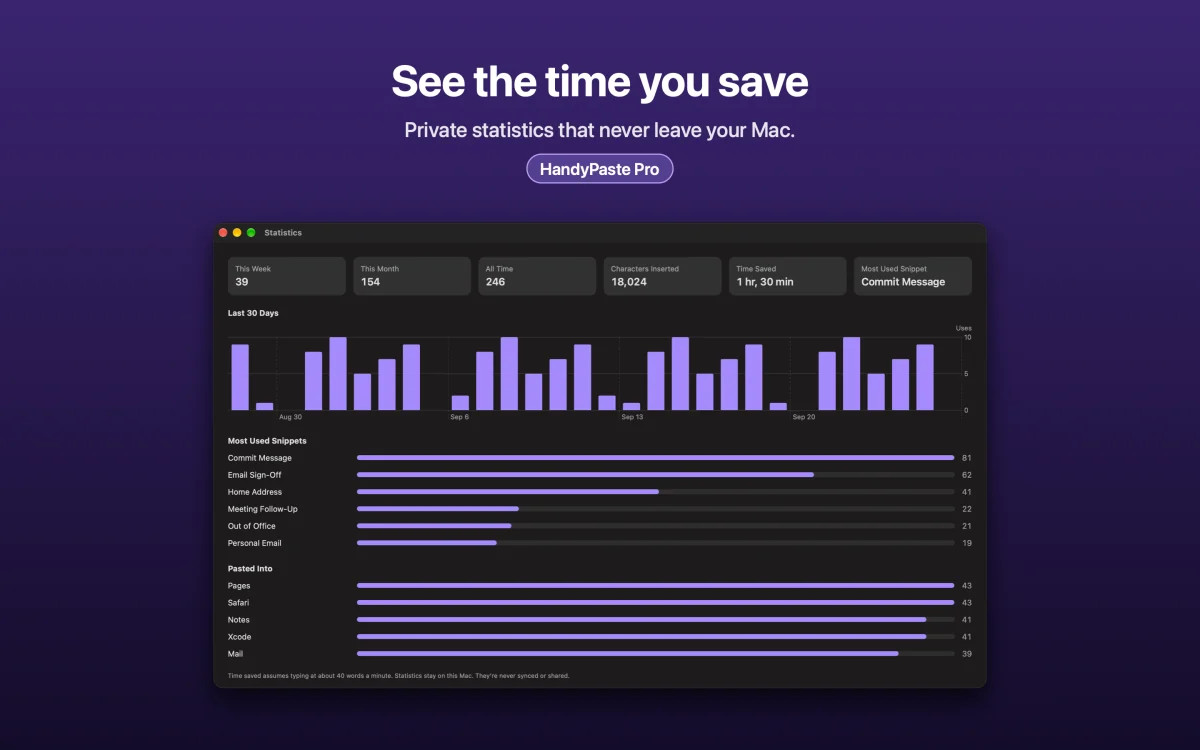
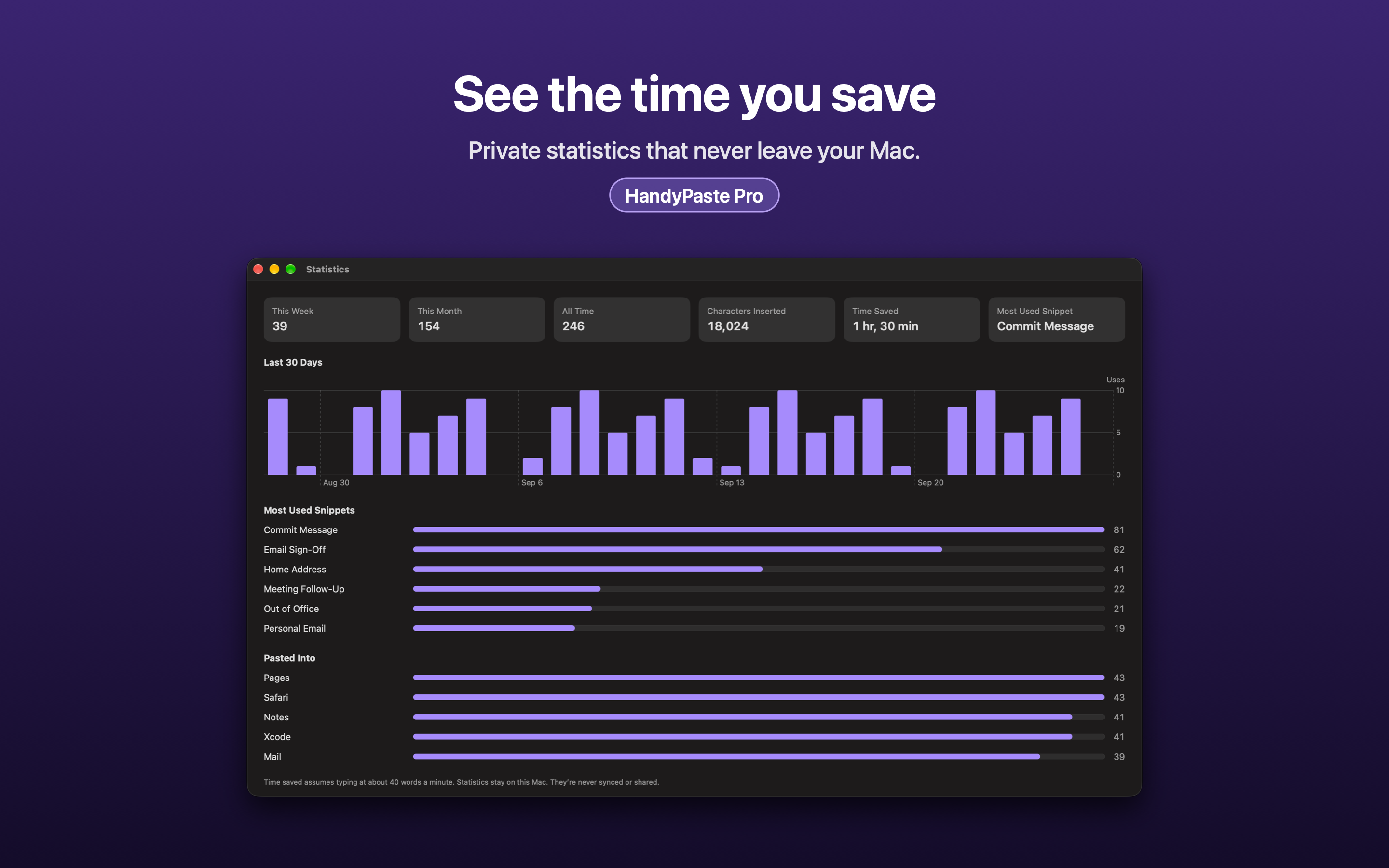
See the time you save Private statistics that never leave your Mac.

Works with Claude Claude and other AI apps can search, fill in and save your snippets.
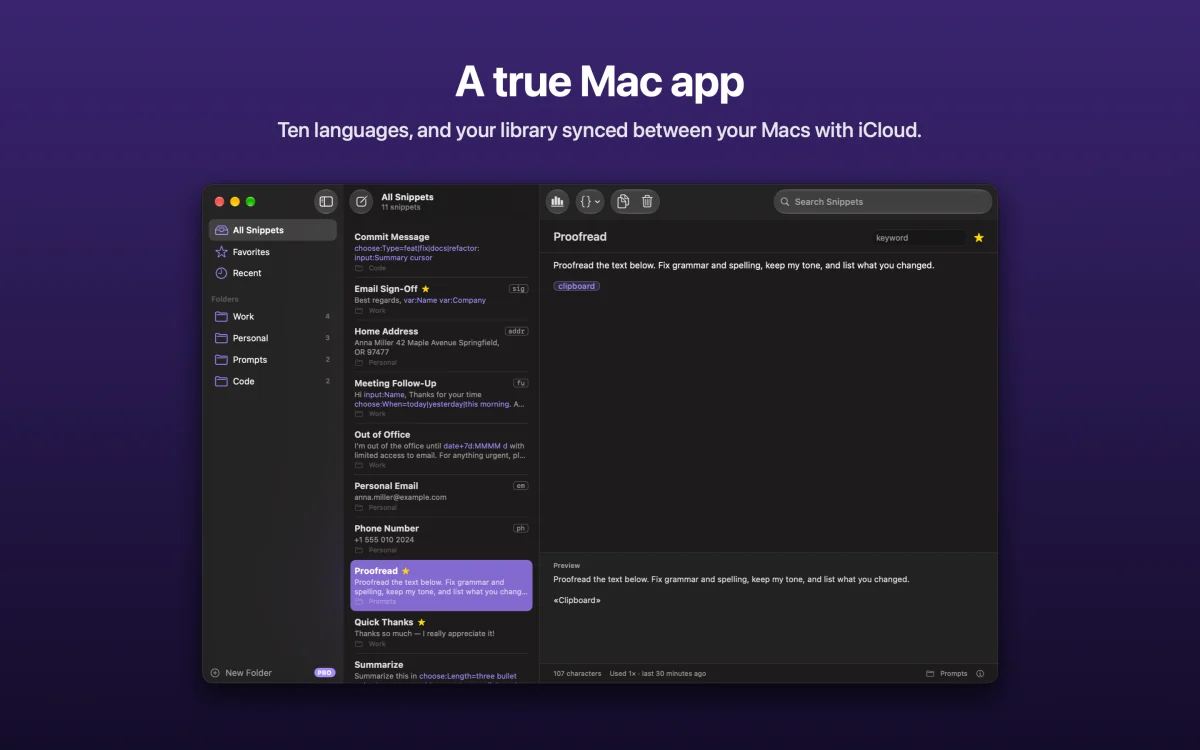
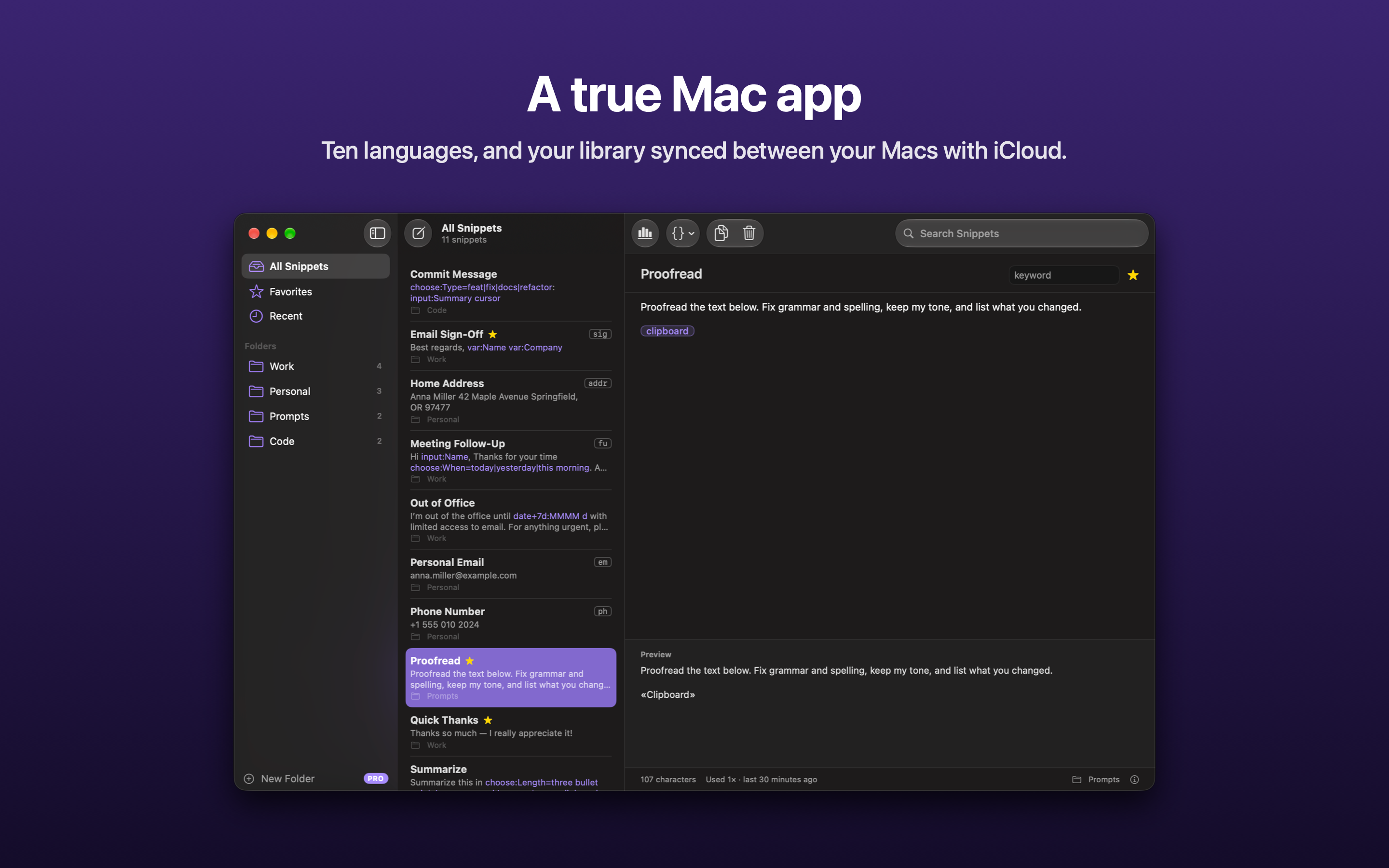
A true Mac app Ten languages, and your library synced between your Macs with iCloud.


App icon
A black hand on a purple tile. Please use it as it is: no recoloring, stretching or effects.
Download the icon (1024 × 1024 PNG)
Linking to the app? Use apps.apple.com/app/id6816252654: it opens each reader's own country's App Store.