
HandyPaste vs Raycast snippets
Raycast is a launcher that does a lot of things, and snippets are one of them. HandyPaste does one thing: it keeps the text you type often and pastes it into any app. If you already live in Raycast, its snippets may be all you need. If you want snippets without a launcher, or snippets that ask questions and fill in forms, read on.
At a glance
| HandyPaste | Raycast snippets | |
|---|---|---|
| What it is | A snippet app | A launcher with snippets built in |
| Call up a snippet | ⌥⌘V, type a few letters, Return | Keywords that expand as you type, or search in Raycast |
| Dates, clipboard, cursor | Yes | Yes |
| Ask a question while pasting | Yes, with {{input:…}}; defaults, multi-line answers and choice lists with Pro | Yes, with arguments |
| Sync between Macs | Free, through your own iCloud | Part of Raycast Pro¹ |
| Price | Free; Pro is a one-time purchase | Snippets are free; Raycast Pro is a subscription¹ |
| Claude and other AI apps | Your snippets as an MCP server (Pro) | Raycast's own AI, with AI credits¹ |
¹ From raycast.com/pricing, checked in September 2026.
A snippet app, not a launcher
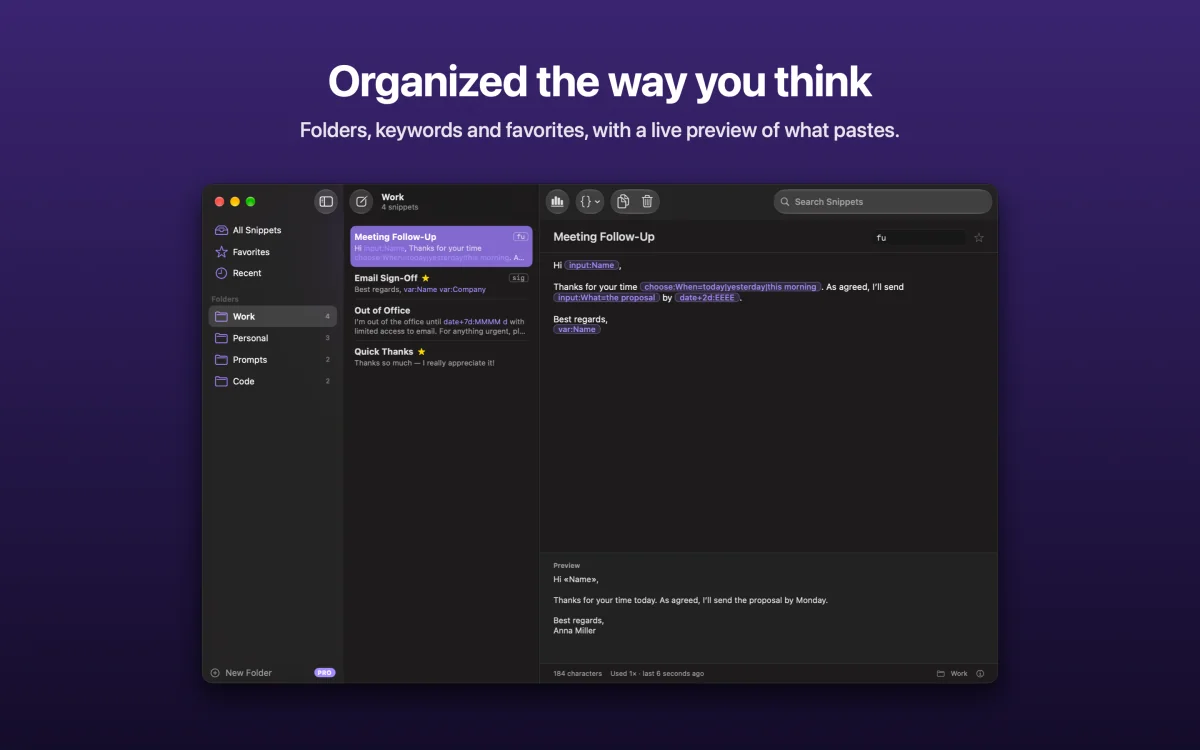
HandyPaste's picker opens over whatever you're doing, searches only your snippets, and shows a preview of exactly what will paste. There's a library window with folders, drag and drop, keywords and favorites, a menu bar menu, and ⌥⌘C to save selected text from any app as a new snippet. The library · Saving text from any app
Templates that fill themselves in
Both apps insert the date, the clipboard and the cursor. HandyPaste adds a few more placeholders for text that changes each time:
Hi {{input:Name}},

Thanks for {{choose:What=your order|your message|the files}}. I'll get back to you by {{date+2d:EEEE}}.

{{snippet:Signature}}
When you paste this, HandyPaste asks for the name and the choice in one small window, works out the weekday two days from now, and adds your signature snippet. With {{tab}} between fields, one snippet fills in a whole web form. Questions and forms · Dates
Your snippets, in your AI apps
With Pro, HandyPaste is also an MCP server: Claude Desktop, Claude Code and other MCP apps can search your snippets, fill them in and save new ones, and your Prompts folder becomes their prompts. AI apps (MCP)
When Raycast is the better choice
- You already use Raycast all day and want one tool for apps, windows, the clipboard and snippets.
- You want snippets that expand as you type from a keyword, without a picker.
- You don't need forms, choice lists or variables, and never sync between Macs.
You can use both: many people keep Raycast as their launcher and HandyPaste for longer text and templates.
Get HandyPaste on the Mac App Store, or read Getting started.