
Canned responses on your Mac
If you answer the same questions every day, your best replies probably live in a Google Doc, a notes file or an old sent email. Finding one means switching windows, scrolling, copying, switching back, and fixing the name.
HandyPaste keeps those replies one shortcut away, in every app: Gmail, Outlook, Apple Mail, Zendesk, Intercom, Help Scout, Freshdesk, Front, Slack, LinkedIn and your CRM.
How it works
- Save a reply once. Select it anywhere and press ⌥⌘C, or write it in the library. Saving text from any app
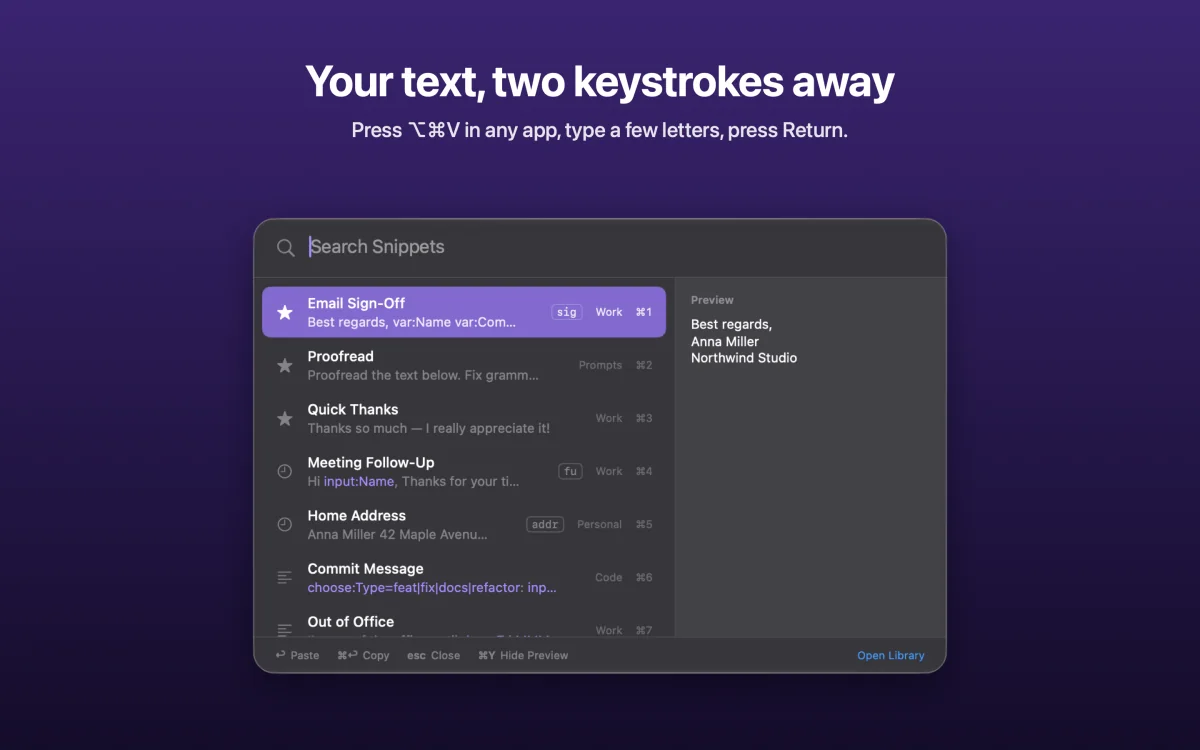
- Press ⌥⌘V in the reply box, type a few letters like "refund", and press Return.
- Fill in the blanks. If the reply asks for a customer's name or an order number, HandyPaste asks you first, then pastes the finished text where you were typing.
Replies that fill themselves in
A canned response shouldn't sound canned. Placeholders fill in whatever changes each time:
Hi {{input:Customer name}},

Good news: your refund for order {{input:Order number}} has been approved. You'll see it on your statement within 3–5 business days.

Anything else I can help with? Just reply to this email.
With HandyPaste Pro, a reply can also offer a choice:
Hi {{input:Customer name=there}},

Thanks for reaching out! To look into this, could you send us:

{{choose:What we need=your order number and a photo of the item|the email address you ordered with|a screenshot of the error message}}

We'll get back to you as soon as we hear from you.
More ready-made replies, case notes and follow-ups are in the snippet examples, which you can import in one go.
Find the right reply in a second
- Folders for each topic: Billing, Shipping, Returns, Sales.
- Keywords: give "Refund approved" the keyword
ra, and ⌥⌘VraReturn pastes it. - Favorites and recently used replies lead the list.
- Preview (⌘Y) shows exactly what will paste, placeholders filled in.
Private, and on every Mac you use
Your replies stay on your Mac and in your own iCloud, which syncs them to your other Macs. There's no account and no server, and HandyPaste never watches what you type. Privacy
On a Windows PC or a Chromebook at work? The free HandyPaste Chrome extension pastes replies into any field in the browser.
Free to start
The free version covers the picker, direct pasting, dates, simple questions like {{input:Customer name}} and iCloud sync, for up to 15 replies you create. Pro is a one-time purchase that removes the limit and adds suggested answers, choice lists and form filling.
Get HandyPaste on the Mac App Store · Compare HandyPaste with other snippet apps