
HandyPaste vs TextExpander
TextExpander and HandyPaste both keep the text you type again and again, and both fill in dates and blanks when they paste. They differ in two ways: how you call up a snippet, and how you pay.
At a glance
| HandyPaste | TextExpander | |
|---|---|---|
| Call up a snippet | ⌥⌘V, type a few letters, Return | Type an abbreviation; it expands as you type |
| Watches your typing | No. It acts only when you press its shortcut | Yes, to catch abbreviations |
| Dates, blanks, choices | Yes: {{date}}, {{input:…}}, {{choose:…}} | Yes, with fill-in fields |
| Fill in whole forms | Yes, with {{tab}} and {{enter}} (Pro) | Yes |
| Snippets inside snippets | Yes (Pro) | Yes |
| Price | Free; Pro is a one-time purchase | Subscription: Pro $6 a month or $60 a year¹ |
| Account | None. Syncs through your own iCloud | TextExpander account |
| Platforms | Mac; a free Chrome extension elsewhere | Mac, Windows, iPhone, iPad, Chrome |
| Teams | No shared libraries | Shared snippet groups for teams |
¹ From textexpander.com/pricing, checked in September 2026. TextExpander also has a limited free plan and business plans.
A picker instead of abbreviations
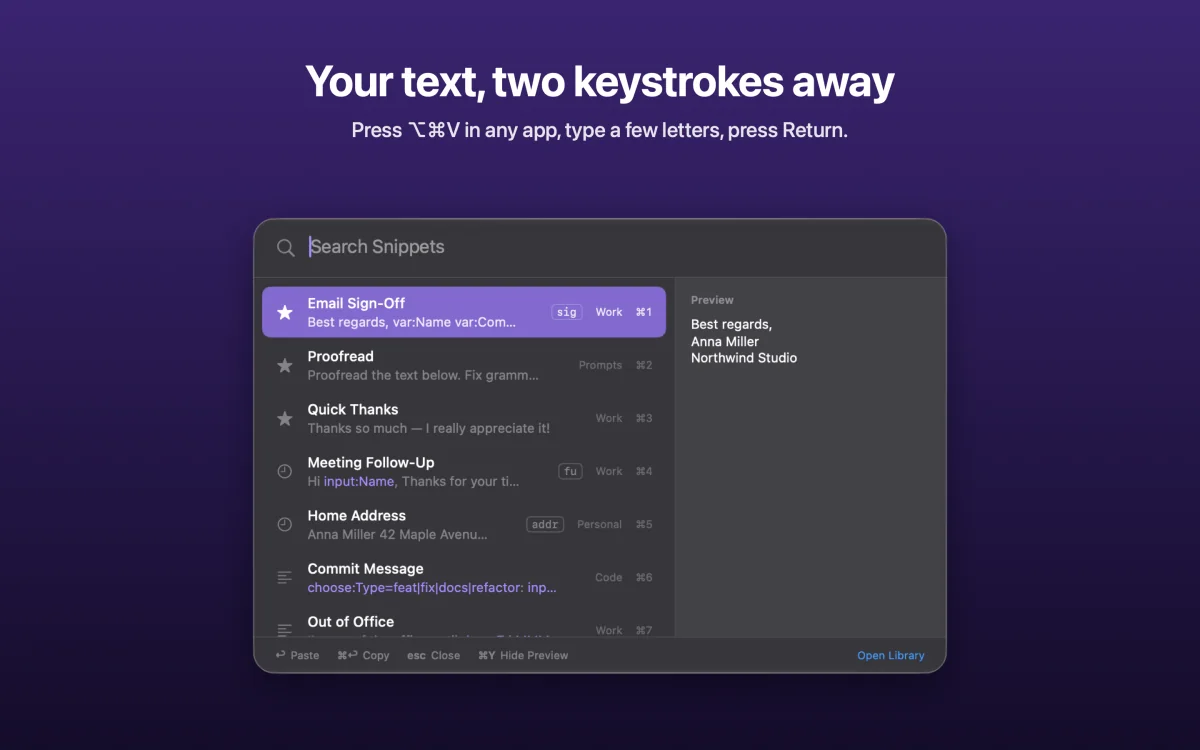
With TextExpander, you remember that ;addr is your address and type it. With HandyPaste, you press ⌥⌘V and type what you're looking for, like "addr", "home" or "refund". The picker searches titles and text and shows you what will paste before it does.
Want the speed of an abbreviation? Give the snippet a keyword. Type qr in the picker and Quick Reply is the first result, so ⌥⌘V qr Return is five keystrokes. How the picker works.
Nothing watching your keyboard
To expand abbreviations as you type, a text expander has to see every key you press, and macOS asks you to allow that. HandyPaste has no need to: it uses a system shortcut and only wakes up when you press it. It asks for Accessibility permission only to press keys for you, like ⌘V to paste, and still works without it: snippets are copied and you press ⌘V yourself. How HandyPaste stays out of your typing.
With Pro, Claude and other AI apps can search, fill in and save your snippets too. AI apps (MCP)
Pay once
HandyPaste is free to download, and the free version isn't a trial: it covers the picker, direct pasting, dates, the clipboard, simple questions and iCloud sync, for up to 15 snippets you create. HandyPaste Pro is a single in-app purchase. It removes the limit and adds forms, choice lists, variables and AI apps, with no subscription to keep up.
When TextExpander is the better choice
- You work on Windows, iPhone or iPad too and want the same snippets expanding everywhere.
- Your team shares snippets, with admins deciding who gets which ones.
- You'd rather type an abbreviation than press a shortcut, and are used to it.
Moving your snippets
HandyPaste doesn't import TextExpander files. Most people start by recreating the ten or twenty snippets they use every day, which takes a few minutes. Type {{ in the editor to add a placeholder, like {{date}} or {{input:Name}}. The placeholder reference lists them all, and the examples are ready to import.
Get HandyPaste on the Mac App Store, or read Getting started.