
An AI prompt library on your Mac
Good prompts take a while to get right, and then they end up scattered across notes, docs and old chats. HandyPaste keeps them in one library and pastes any of them into ChatGPT, Claude, Gemini, Perplexity or any other app with ⌥⌘V.
Prompts with the blanks filled in
A saved prompt is more useful when the part that changes fills itself in. Copy some text, press ⌥⌘V in the chat box, and paste this:
Proofread the text below. Fix grammar and spelling, keep my tone, and list what you changed.

{{clipboard}}
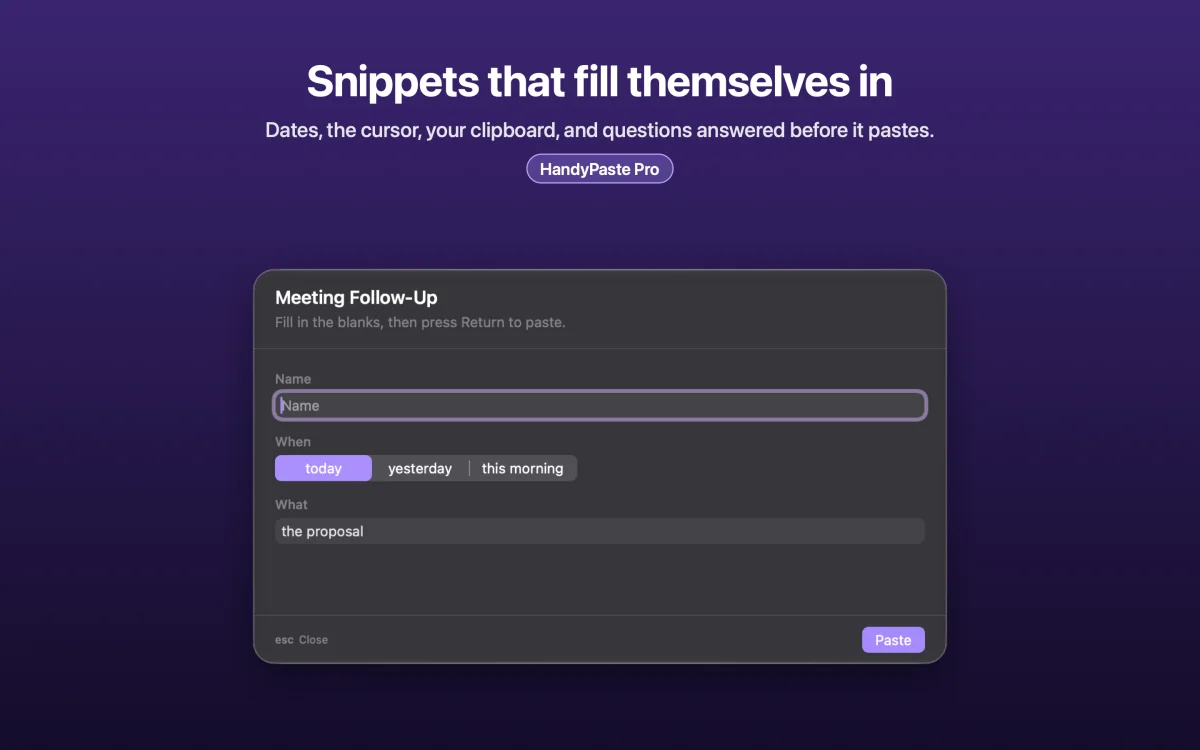
{{clipboard}} becomes whatever you copied. {{input:…}} asks you for something before pasting:
You are a {{input:Role}}. Explain {{input:Topic}} to a beginner in five short bullet points, then give one example.With HandyPaste Pro, a prompt can offer choices, too:
Rewrite the text below so it sounds {{choose:Tone=friendlier|more formal|shorter|more confident}}. Keep the meaning.

{{clipboard}}
More prompts are in the snippet examples, ready to import. All placeholders
In every app, not only the browser
HandyPaste pastes into any Mac app where you can type: the ChatGPT and Claude desktop apps, a browser, Cursor, Xcode, Terminal, Notes. Keep prompts in a Prompts folder, give your favorites keywords like pr for Proofread, and they're a few keystrokes away. The picker
Inside Claude, too
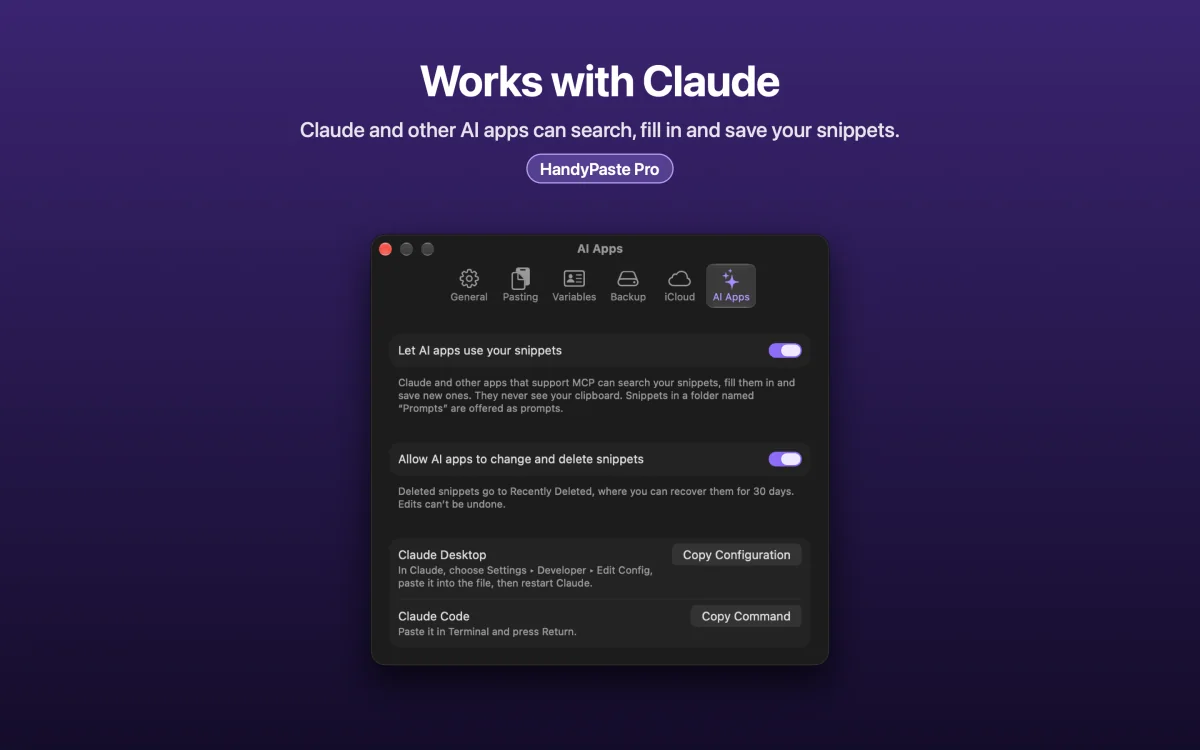
With Pro, HandyPaste is an MCP server. Connect Claude Desktop, Claude Code or another MCP app, and:
- every snippet in your Prompts folder shows up in the app's prompt menu,
- you can ask Claude to find a snippet, fill it in, or save a new prompt it wrote for you.
It's off until you turn it on, and AI apps never see your clipboard. Your snippets in Claude
Private by design
Your prompts stay on your Mac and in your own iCloud, which syncs them between your Macs. No account, no server, no analytics, and HandyPaste never watches what you type. Privacy
Free to start
The free version covers the picker, {{clipboard}}, simple questions and iCloud sync, for up to 15 prompts you create. Pro is a one-time purchase that removes the limit and adds choice lists, variables and AI apps.
Get HandyPaste on the Mac App Store · Compare HandyPaste with other snippet apps