
Text snippets without keystroke monitoring
Most snippet tools for the Mac are text expanders: you type an abbreviation, and it turns into the full text. That's handy, but to spot your abbreviations, the app has to see every key you press, in every app, including what you type into chats, documents and password fields. That's why macOS asks you to allow Input Monitoring or similar access first.
HandyPaste doesn't need any of that. It does nothing until you press its shortcut.
How HandyPaste stays out of your typing
- It waits for ⌥⌘V. Its shortcuts are registered with a macOS system API that tells HandyPaste when you press them, and only then. It never sees the other keys you press.
- No Input Monitoring. HandyPaste never asks for it, so it isn't listed under System Settings ▸ Privacy & Security ▸ Input Monitoring. Check for yourself.
- Accessibility, for one job. HandyPaste asks for Accessibility permission so it can press keys for you: ⌘V to paste, and Tab, Return or arrow keys when a snippet uses
{{tab}},{{enter}}or{{cursor}}. It doesn't read other apps' windows. Without the permission, HandyPaste still works: it copies the snippet and you press ⌘V. - Sandboxed. HandyPaste runs in the macOS App Sandbox and opens only the files you choose.
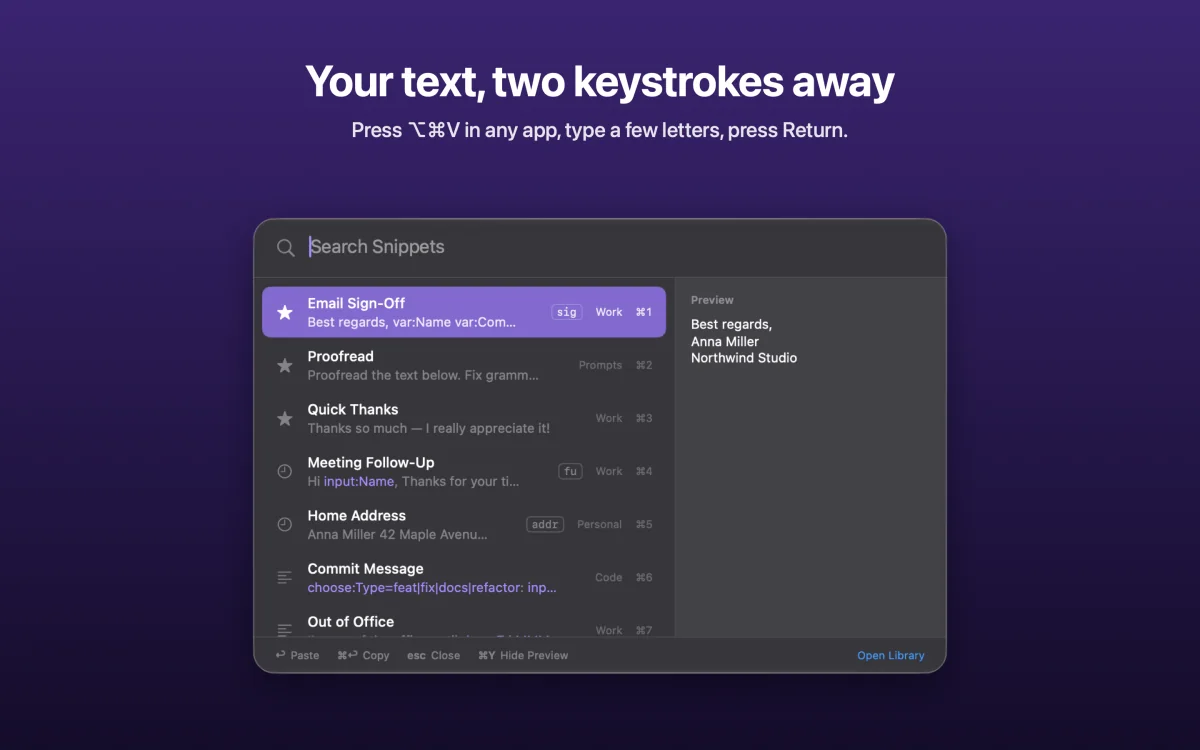
So you still get snippets in one move, ⌥⌘V, a few letters and Return, without an app watching your keyboard all day. Give a snippet a keyword, like qr for Quick Reply, and it's the first result. The picker
Your snippets go nowhere
- No account, no server. Your library lives on your Mac and, with sync on, in your own private iCloud database. We have no copy, and no way to see it.
- No analytics or tracking. The app contains no analytics, advertising or crash-reporting code, and its privacy manifest declares no data collected. Its only connections are to iCloud and the App Store.
- Statistics stay on your Mac. Usage counts are never synced or sent, never include the snippet's text, and can be turned off.
- Careful with your clipboard. HandyPaste reads it only when a snippet uses
{{clipboard}}, when you save a selection, or to put back what you had copied. It never writes back an entry a password manager marked as concealed.
The full details, permission by permission, are in the privacy policy.
Good to know
- HandyPaste isn't a password manager. Keep passwords and recovery phrases in a dedicated one.
- AI apps are off unless you turn them on. With Pro, you can let Claude and other MCP apps use your snippets. They never see your clipboard, and whatever they read goes to that AI service, like anything else you share in a chat. AI apps (MCP)
Still fast, still smart
Private doesn't mean plain. Snippets fill in today's date, the clipboard and the cursor, and ask for a name or a choice before they paste. With Pro, one snippet can fill in a whole form. All placeholders
HandyPaste is free to download, for up to 15 snippets you create, and Pro is a one-time purchase.
Get HandyPaste on the Mac App Store · Compare HandyPaste with text expanders